The full moon has always fascinated photographers, travelers, and stargazers. Its brightness and beauty make it one of the most popular subjects in photography. But taking a clear and detailed photo of the moon isn’t as easy as pointing your camera and shooting—it requires the right techniques, gadgets, lenses, and settings.
In this guide, we’ll explain how to capture the full moon using a mobile phone or a professional camera, plus which accessories and filters can help you get the perfect moon shot.
How to Capture the Full Moon with a Mobile Phone
Modern smartphones are powerful enough to take beautiful moon photos, but you need to avoid overexposure and shaky shots. Here’s how:
Mobile Photography Tips for Moon Shots
- Use a Tripod or Stable Surface – Stabilize your phone to avoid blur.
- Switch to Pro/Manual Mode – Adjust ISO, shutter speed, and focus manually.
- ISO: Keep between 100–200 (low noise).
- Shutter Speed: 1/125 to 1/250 sec.
- Focus: Set to infinity.
- Zoom Smartly – Use optical zoom, not digital. Phones like the iPhone Pro Max, Samsung Galaxy S series, and Google Pixel Pro work best.
- Use Camera Apps – Apps like ProCam, Lightroom Mobile, or Camera FV-5 allow finer control.
- Take Multiple Shots – Capture several images and later merge/edit to enhance details.
Recommended Mobile Gadgets
- Mobile tripod with phone holder.
- Remote shutter button or Bluetooth clicker.
- Clip-on telephoto lens for smartphones.
How to Capture the Full Moon with a Camera
If you own a DSLR or mirrorless camera, you can capture far more detailed photos of the moon’s surface.
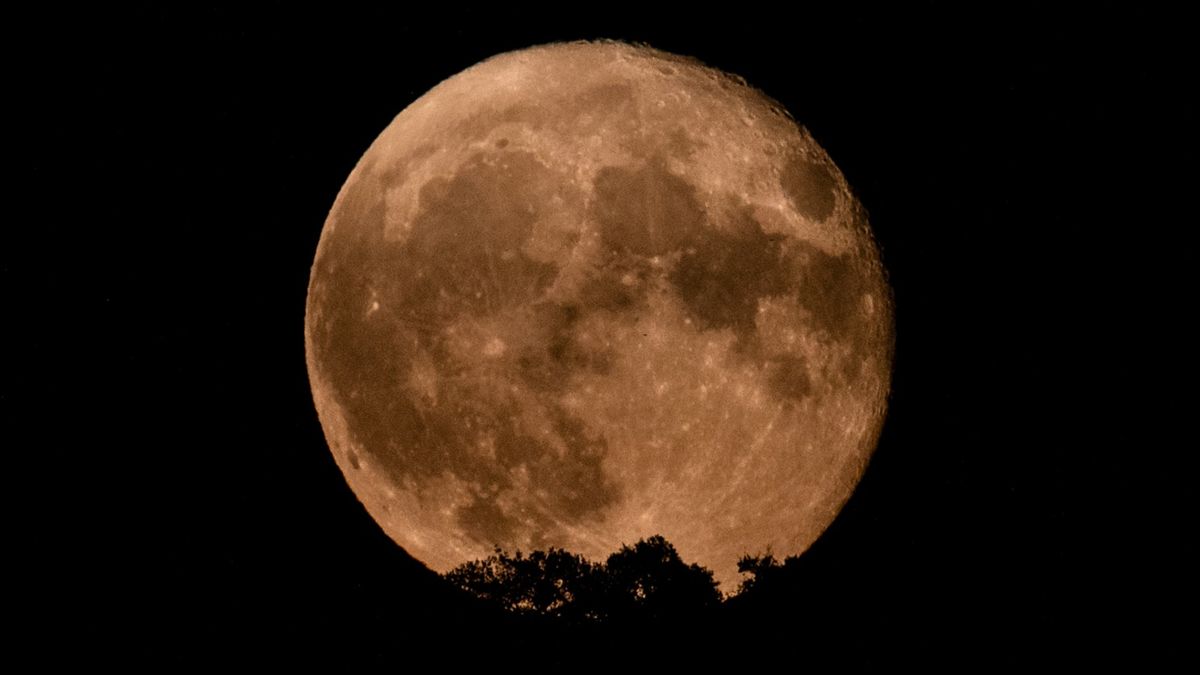
Camera Settings for Moon Photography
- Mode: Manual (M).
- Lens: Telephoto lens (200mm–600mm for detailed shots).
- Aperture: f/8 – f/11 for sharpness.
- Shutter Speed: 1/125 – 1/250 sec to avoid overexposure.
- ISO: 100–200 for clear images.
- Focus: Manual, set to infinity.
- Format: Shoot in RAW for best editing flexibility.
Best Camera Accessories
- Telephoto Lens Options:
- Budget: 70–300mm lens.
- Advanced: 150–600mm super telephoto lens.
- Tripod: A strong tripod prevents vibrations.
- Remote Shutter Release: Reduces shake while clicking.
- Star Tracker (Optional): For astrophotography combining moon + stars.
Filters & Editing for Moon Photography
While many people shoot the moon without filters, here are some that can help:
- ND Filter (Neutral Density): Reduces brightness if you also want to capture stars.
- Polarizing Filter: Helps reduce glare and enhance contrast.
- Post-Processing: Use Lightroom, Photoshop, or Snapseed to adjust highlights, shadows, and sharpness.
Moon + Landscape Shots
For more creative results, capture the moon with a foreground like mountains, buildings, or trees. The best time is during dusk or dawn (blue hour) when the sky has color but the moon is visible. You may need to blend two exposures: one for the moon and one for the landscape.
Quick Checklist for Perfect Moon Photography
- Tripod for stability
- Remote shutter or timer
- Manual settings (low ISO, fast shutter, infinity focus)
- Telephoto lens (camera) or telephoto mode (mobile)
- Shoot multiple photos and edit later
Capturing the full moon is a magical experience whether you’re using a smartphone or a professional camera. With the right settings, gadgets, lenses, and filters, you can take clear, detailed, and breathtaking shots of our closest celestial neighbor.
So next time the full moon lights up the night sky, grab your gear, set up your tripod, and try these tips—you’ll be surprised at the results!